Feature · Get it done
Read the change, then put it live.
When work changes a website, Nuntex stops and shows you the exact change. Tap Put it live and it publishes, checks the result on the server, and puts the old site back if anything breaks.
7 days free, then $49.99 a month. Cancel any time. Pricing
Updated October 5, 2026
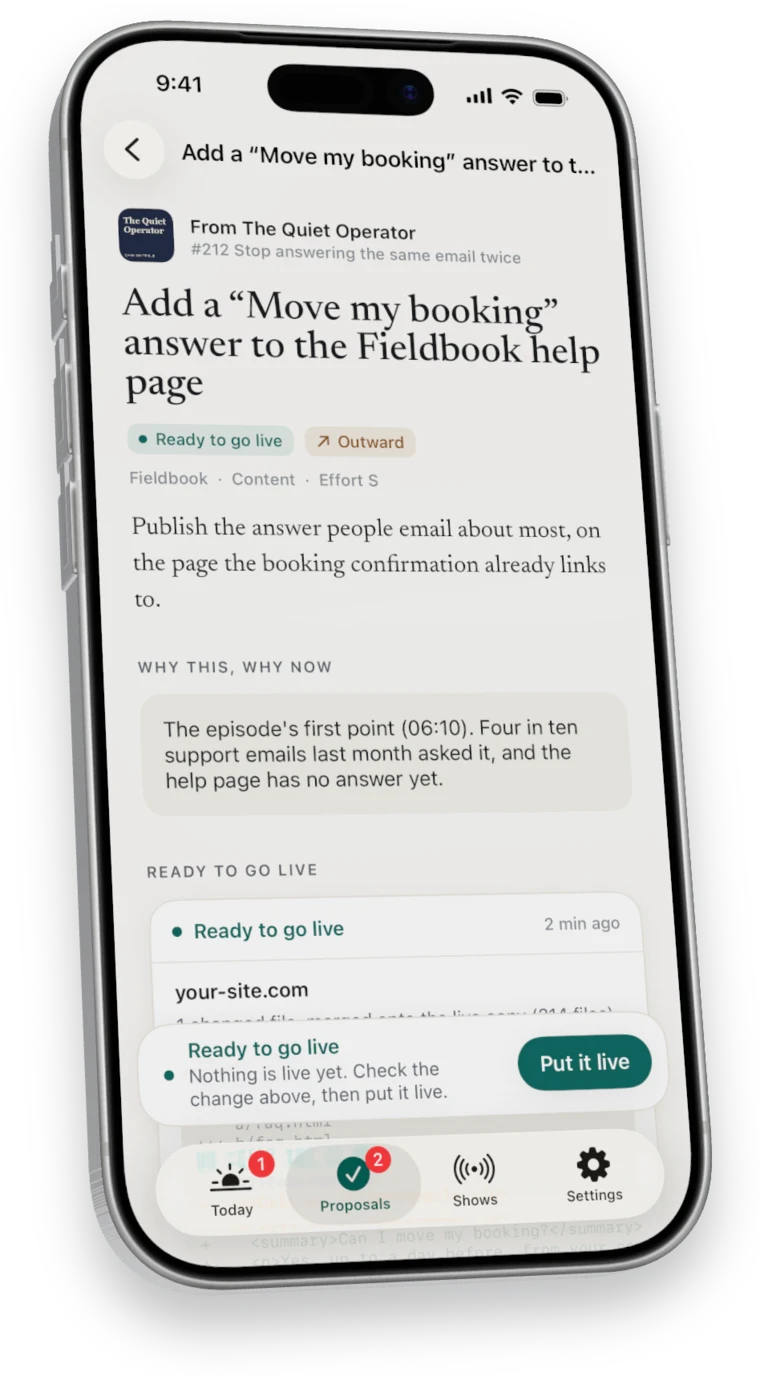
What you read first
The whole change, before anything moves.
- The diff
- Every added and removed line, file by file.
- What stays as it is
- Files your folder has that the change did not cover stay out, and newer live copies are kept.
- Cache versions
- Pages that link a changed stylesheet or script get a fresh version, so visitors see the new one.
- Your folder, updated
- After it goes live, the change is written back into your own copy of the site.
What happens when you tap it
Published, then proven.
- It builds from what is live
The change is merged onto the live copy, so a newer fix already on the site is kept.
- It sends only what changed
Just the files the change touched, one at a time, never the whole site.
- It reads the change back
Every changed file is fetched from the server and compared.
- It checks the home page
If the home page stops answering, the old site goes back on its own.
Hosting
Where it works today.
Put it live works with websites hosted on Hostinger, where Nuntex sends only the files the change touched, one at a time. If someone changed the same lines on the live site in the meantime, it stops and tells you instead of guessing.
Questions
Questions about Put it live.
What if the live site changed in the meantime?
Nuntex merges its change onto the newer live copy. If both touched the same lines, it stops and tells you.
Which hosts are supported?
Websites hosted on Hostinger, today.
What happens if the home page breaks?
Nuntex sends back the copies that were live before and tells you what happened.
Seven days free
Start your free week.
7 days free, then $49.99 a month. Cancel any time.