Nuntex.

Nuntex

It listened to six hours you didn't. Two proposals need your call.

Nuntex listens to the shows, channels and books you never get to, tells you what matters, and does the work once you say yes. No code, ever.

Nuntex opens to a few people at a time.

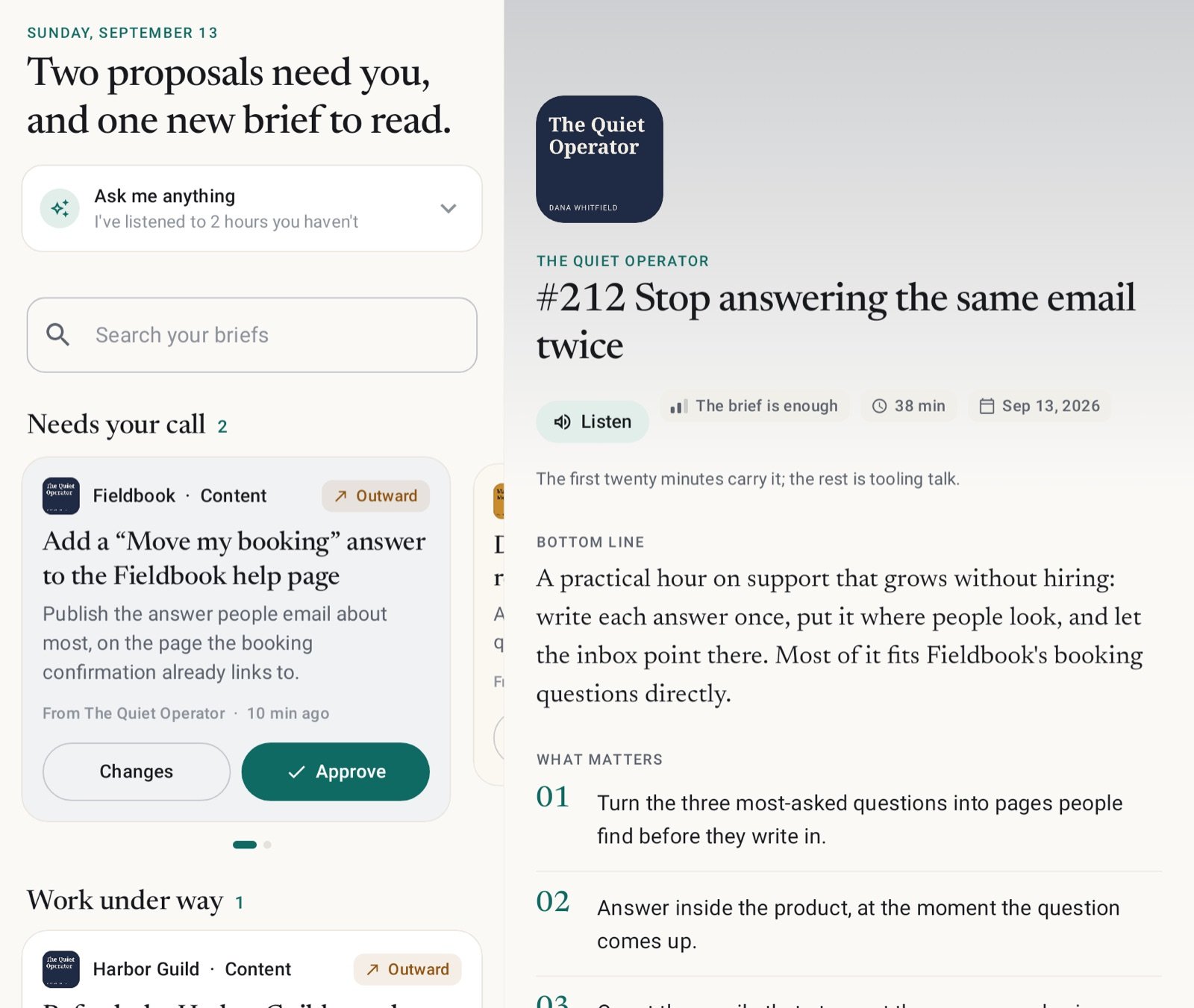
Nuntex Today screen: two proposals need your call, and one new brief to read.

How it works

One morning, from episode to done.

A new episode lands overnight. By the time you have had coffee, it has been heard, briefed, turned into work, approved and finished.

The full walkthrough
  1. Brief ready

    The bottom line, before your coffee.

    Every episode you follow becomes a brief: the bottom line, the points that matter, and why they matter to your work. Skip it, skim it, or have it read aloud.

    How briefs work
    A brief: the show, the episode, a Listen button, the bottom line and what matters.
  2. Needs you

    Work it could do, with the plan written out.

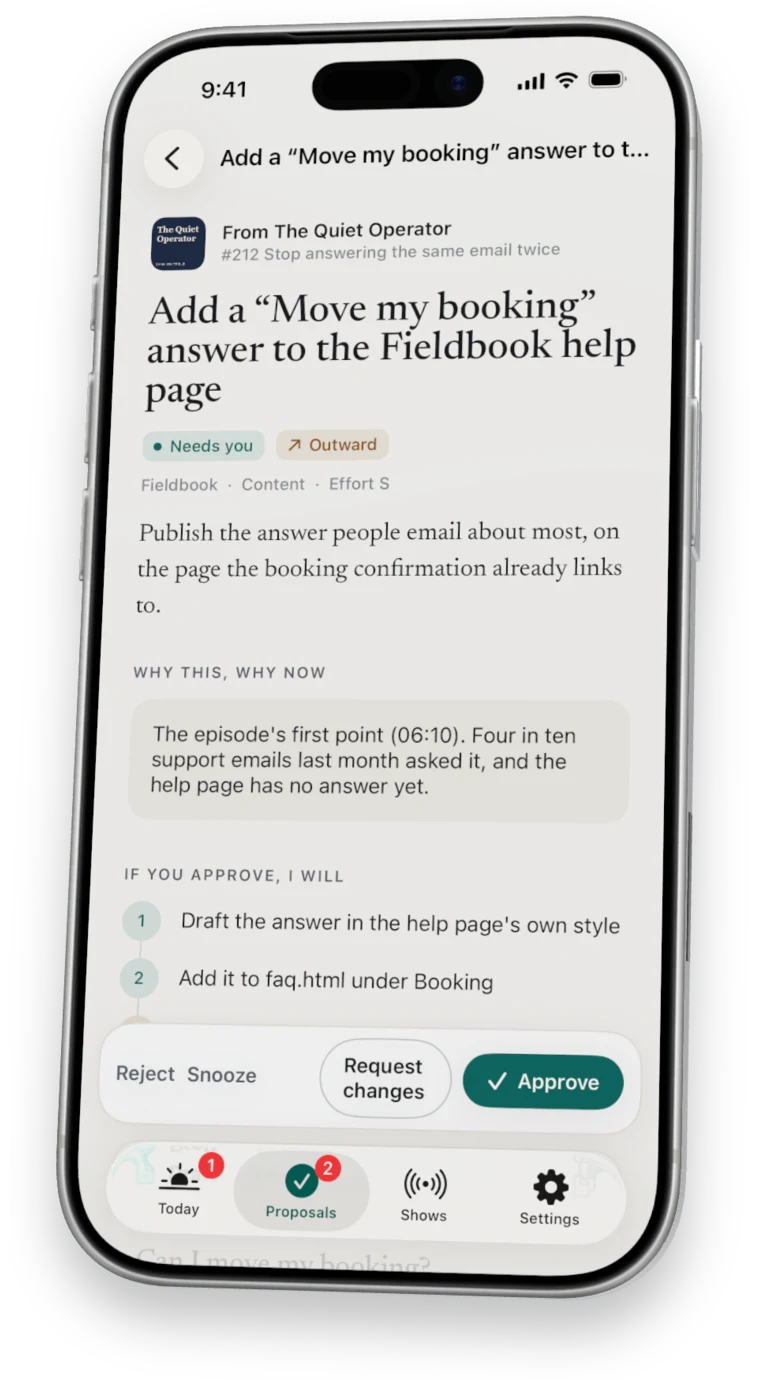
    Each proposal says why now and exactly what happens if you approve. Any step that reaches the outside world is marked as needing your yes.

    About proposals
    A proposal with its reasons, its plan and the draft it has started.
  3. Approved

    Yes, or say what to change.

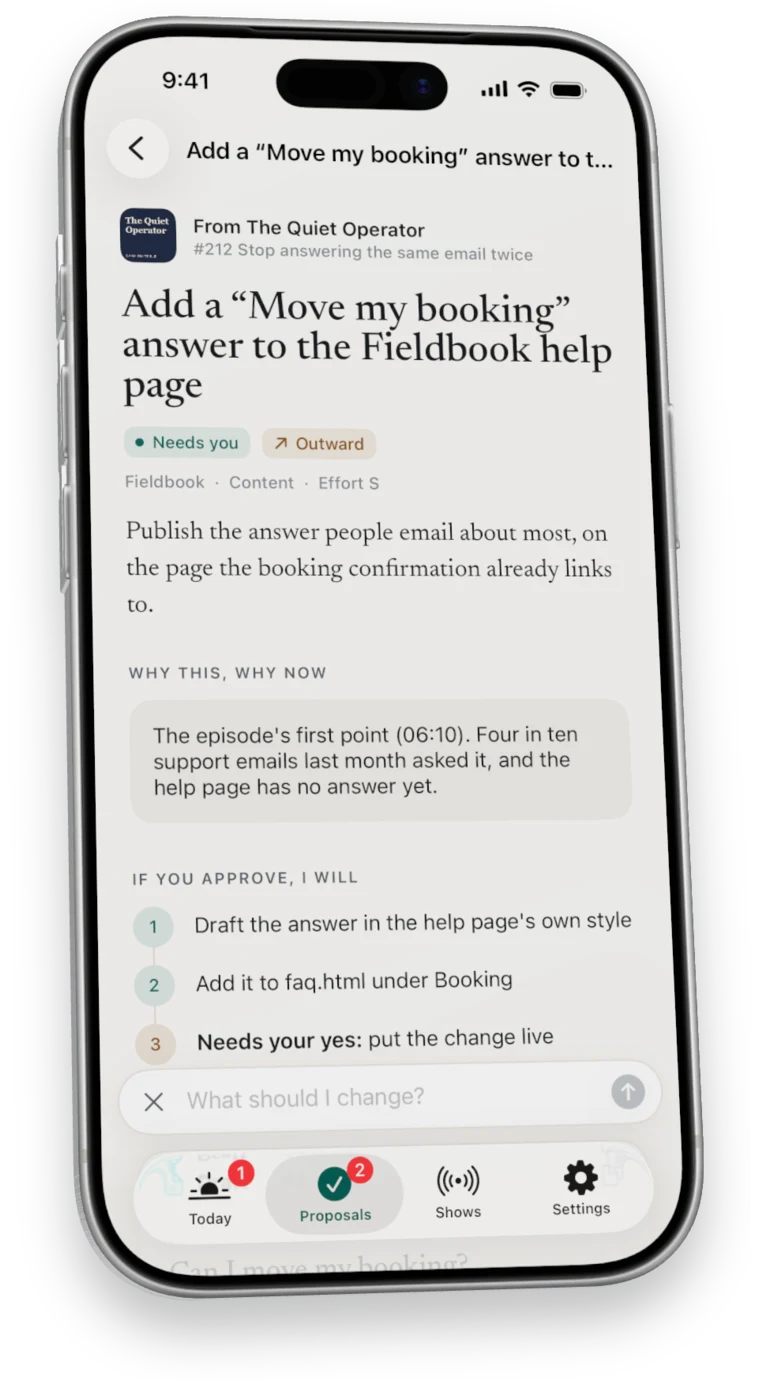
    Approve in one tap, ask for changes in your own words, or snooze it for later.

    About decisions
    Asking for a change on the proposal, in your own words.
  4. Done

    Finished, with the checks it ran.

    It works in the folders you pick, runs the checks, commits to its own branch, and tells you plainly what is left for you.

    About the work
    A finished task: done and checked, with the checks it ran and the commit it made.

Proof

It shows its work.

Every check it ran, every file it touched and every commit it made sits on the task. A website change waits until you have read the diff.

Done · checkedjust now
Worked
12 steps · 1 file
Checked
  • git diffpass
  • html-validate faq.htmlpass
  • link-check faq.htmlpass
Landed
Committed 4c1e9a2 to your-site on nuntex/add-booking-answer.

Added the answer under Booking in the page's own markup, and linked it from the confirmation email. Nothing else changed.

Ready to go live

your-site.com

1 changed file, merged onto the live copy (214 files). Cache version moves in faq.html.

faq.html · live

@@ -41,6 +41,9 @@ Booking <h2>Booking</h2>- <p>Call us to reschedule.</p>+ <details>+ <summary>Can I move my booking?</summary>+ <p>Yes, up to a day before, from your confirmation email.</p>+ </details> </section>

Sends only the files that changed, reads each one back from the server, and puts the old copies back on its own if the home page breaks.

Your yes

Nothing leaves without your yes.

You decide how far it may go on its own, and you can change your mind any time in Settings.

It briefs you and proposes. Approved work stays in Nuntex's own work folder, and your projects are untouched.

How work modes work
Folders you pick
It writes only in the project folders you tick on your Mac, each change on its own branch. About folders
One action per yes
An email, a post or a deploy happens once, for the step you approved, and never on a guess. About outward actions
Runs on your Mac
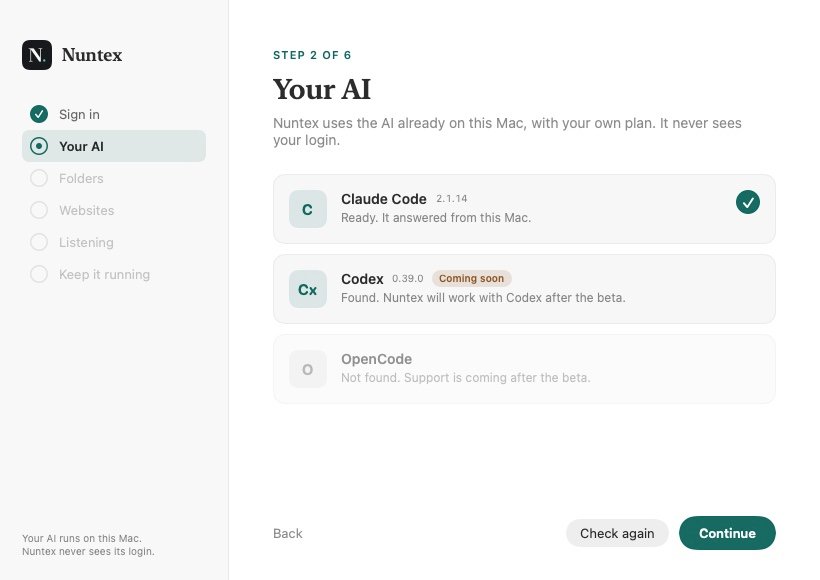
The listening and the work happen on your own machine, with your own AI and accounts. About the Mac app
Websites wait for you
You read the exact change before it goes live, and a broken page is rolled back on its own. About Put it live

Everywhere you are

On your phone, your Fold and your Mac.

Read briefs and decide on the move. Open it up on a foldable and the list and the brief sit side by side.

Nuntex on a foldable: Today on the left, a brief open on the right.

Questions

Before you ask.

What is Nuntex?

Nuntex is an AI chief of staff. It follows the podcasts, YouTube channels and books you pick, turns each new episode into a short brief, proposes work based on what it heard, and carries that work out on your Mac, with your own AI, once you approve it.

Do I need to be technical?

No. Setup is two apps and one sign-in. After that you read a one-minute brief and tap yes on your phone.

Is Nuntex like OpenClaw?

Same kind of engine, a different job. OpenClaw is a free kit you build and secure yourself. Nuntex sets up in minutes, brings you what is worth doing, and does nothing important without your yes. See the comparison.

Does it send anything without asking?

No. Anything that reaches the outside world, like an email, a post or a website change, waits for your yes. You choose how much it may do on its own.

What does it listen to?

Podcasts you follow or find in its directory, YouTube channels, blogs and newsletters, books you send it from your phone, and links you share from any app.

Does my Mac need to be on?

For the listening and the work, yes. Your phone keeps your briefs and takes your decisions anywhere, and the Mac picks them up when it wakes.

Which AI does it use?

Your own. Today that is Claude Code on your Mac, signed in to your own Claude account. Nuntex connects your phone to it and never sees that login.

How do I get Nuntex?

Nuntex opens to a few people at a time. Join the waitlist and you will hear from us directly when a place opens.

All questions

The waitlist

One proposal needs your call.

Nuntex is opening slowly, to a few people at a time.

Nuntex·WaitlistNeeds you

Join the Nuntex waitlist

Leave your address and hear from us directly when a place opens.

If you approve, I will

  1. 1Keep your place on the list
  2. 2Write to you when a place opens
  3. 3Send nothing else in between